See It in Action
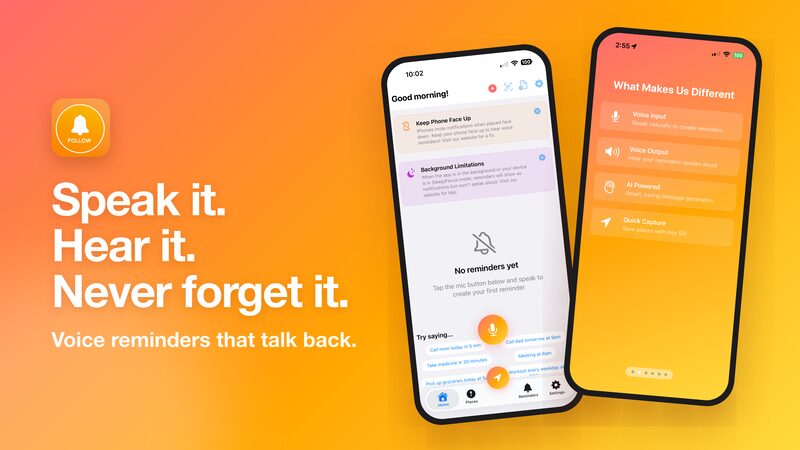
Speak a reminder once. FollowFollow says it out loud when it's time.

Hands-free location tagging with your voice
Save your current location instantly with a voice command. Perfect for remembering parking spots, interesting places, or anywhere you want to revisit.
Siri will save your location and automatically set a reminder for 2 weeks later!
Create reminders with your voice and hear them spoken back when it matters. Voice-first, AI-powered, and beautifully simple.
$5.99 one-time purchase. Optional Premium upgrades available.
Speak a reminder once. FollowFollow says it out loud when it's time.
Powerful features designed to make remembering effortless
Just speak naturally. Say "Remind me to call John tomorrow at 3pm" and we handle the rest.
Your reminders are spoken aloud in a natural voice. Get a 7-minute heads-up, a 30-second alarm, then your full spoken message.
Tag your current spot with one tap or voice command. Add photos and notes to remember why this place matters.
Snap a photo when saving locations. Great for remembering parking spots, finding your car, or documenting places visually.
Natural language understanding means you can speak however feels natural. We figure out what you mean.
Three simple steps to never forget again
Tap the mic button and say what you want to remember. Our AI understands natural language, so speak however feels comfortable.
FollowFollow extracts the time, date, and location from your words and creates a perfectly scheduled reminder.
At the right time or place, your phone speaks your reminder back to you in a natural, clear voice.
Hands-free reminders while you drive
Never miss a meeting or deadline
Quick capture while on the go
Easy voice interface, loud spoken alerts
Any app, website, calendar, email or QR code can send a reminder to FollowFollow

Anyone can build an "Add to FollowFollow" link: no account, no API key. When you tap one, FollowFollow shows exactly what's being added and asks you first. Then it speaks the reminder at the right time, like any other.
For developersA word from the developers
Every time FollowFollow speaks your reminder or understands your voice, we make a secure call to AI services that power these features. These services charge us for each use.
Your subscription helps cover these costs and keeps the app running for everyone. We are not trying to get rich — we just want to keep the lights on and continue improving FollowFollow for you.
We truly appreciate your support. Every subscriber helps us keep this app alive and makes it possible for us to add new features and improve your experience.
A few tips to get the most out of FollowFollow
iPhones with Face ID automatically mute sounds when placed face down. You have two options:
To disable: Settings → Face ID & Passcode → Turn OFF "Attention Aware Features"
Make sure notifications are enabled in your iPhone Settings for FollowFollow to deliver voice reminders.
Turn up your ringer volume to hear voice reminders. Silent mode (mute switch) will mute notification sounds.
This means your reminder's voice message hasn't been generated yet — usually because you were offline when creating it.
To fix: Tap the reminder to open it, then tap "Retry". This will generate the voice message so your reminder can speak to you!
For reminders 15+ minutes away, you'll receive: 1) a 7-min heads-up, 2) a 30-sec alarm, then 3) your spoken reminder.
Each stage uses iOS notifications — they fire even if the app is closed. Learn more
Location access is only used for the "Tag this location" feature — to save places you want to remember.
We don't track you. Your reminders and places stay on your device. Our server never stores your location — we literally don't know where you are.
If you're not comfortable granting location access, this app may not be the right fit for you.
FollowFollow uses AI to understand your voice and generate messages. Occasionally, the AI may misinterpret what you said or schedule reminders at unexpected times.
Always review your reminders after creating them to make sure the time and message are correct. You can edit any reminder before it fires.
Download FollowFollow today and experience the future of reminders.


Innovation Through Simplicity
Crafted with care by Big-Me Softwares. We build apps that make your life easier.